
Activating RDPlus – Activation Key
Locate the Administrator Tool on your desktop :
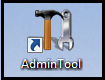
- If you cannot find the admin tool shortcut, it should be located in the desktop folder on the administrator account used to download RDPlus. You can also find the RDPlus folder on this path: ‘C:\\Program Files (x86)\RDPlus\UserDesktop\files’.
Double-click on it, then click on the license tab.
Click on the “Activate your license” tile:

Enter your Activation Key and select products you want to activate.

You may select multiple purchases (License, Updates and Support and/or add-ons), then finish the prompts and your license will be activated!
