
On the License Tile under the Serial Number, you can see the type of License you purchased as well as your number of users next to the number of connections:
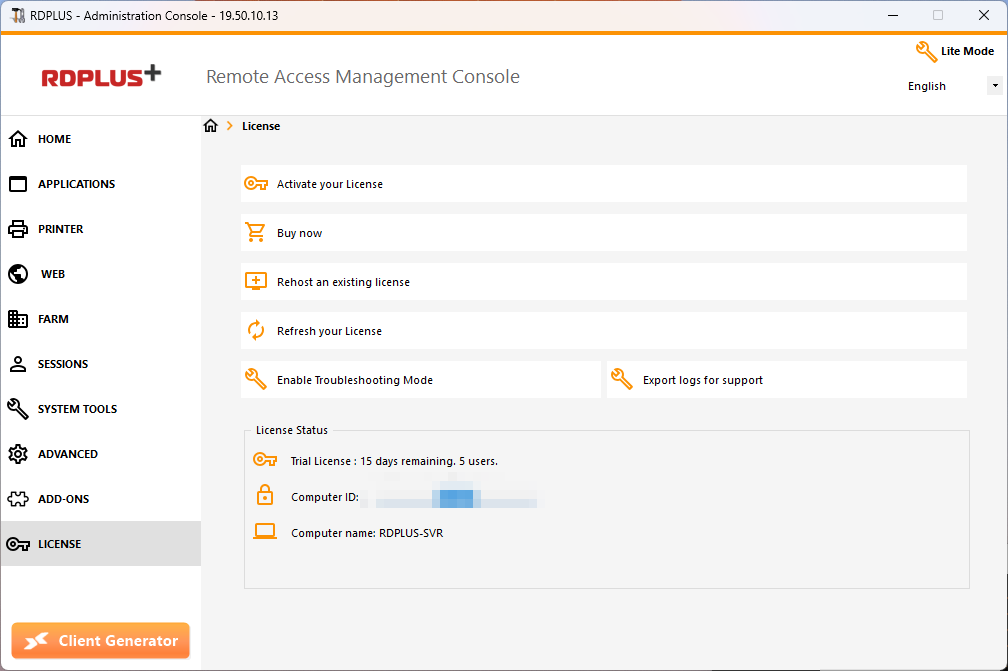
RDPlus has merged old licenses into one in order to gain more clarity. System and Printer editions have migrated to Desktop Edition .
Desktop Edition
Basic features:
- RDPlus Administrator Tool (AdminTool),
- Concurrent connections support,
- Application Control per user and/or per groups,
- RDPlus Remote Taskbar and/or RDPlus Floating Panel,
- Remote Desktop access,
- RDPlus Portable Client Generator,
- RemoteApp connection client,
- Fully compliant with RDP protocol,
- Dual Screen support, bi-directional Sound, RemoteFX when compatible with Windows version,
- Local and Remote connection support,
- Workgroup and Active Directory users support,
- Device/Disk redirection.
- Virtual Printer, enables you to print from any location, without having to install any specific driver and allows printer redirection.
Enterprise Edition
Includes all Desktop Edition features, plus:
- Connect from any web browser with RDPlus HTTP Web Server,
- Entirely secured connection from any web browser with RDPlus HTTPS Web Server and SSH server,
- HTML pages includes Windows and HTML5 web access clients,
- Easily connect from iPhone/iPad and Android devices using the HTML5 web client,
- Customize logon web page with RDPlus easy-to-use Webmaster Toolkit,
- With RDPlus Web Applications Portal, users can access their application list inside their web browser,
- Instead of Windows Credentials, RDPlus Web Credentials allows users to connect with only an e-mail or a pin-code,
- Universal Printer enables you to print from any location, without having to install any specific printer driver,
- Support an unlimited number of servers within each RDPlus Farm (requires one license per server),
- Thousands of users working concurrently on a scalable Load-Balanced architecture,
- Single Enterprise Portal to access all your RDPlus servers,
- Ability to assign one or several Application Server(s) to users or groups of users,
- Load Balancing and Failover support included.
- The Possibility to add an extra-layer of security with the RDPlus 2FA Add-On .