
System Audit
RDPlus Security offers a System Audit located on the AdminTool dashboard. The tick on the System Audit button turns red when an issue has been found.
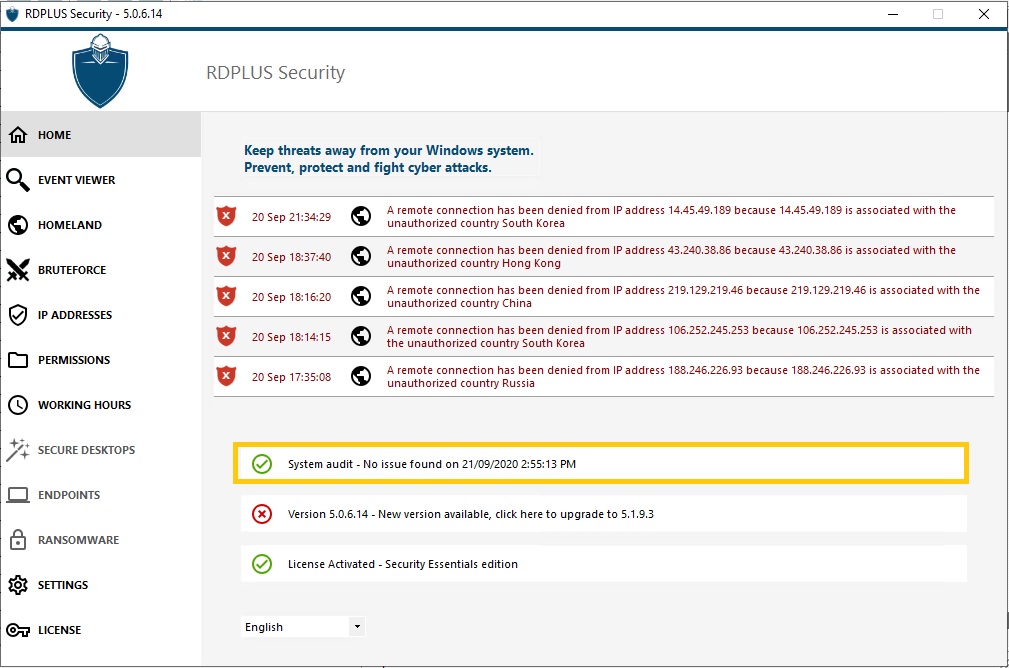
When you click on it, you can see that it monitors :
- If the RDPlus Security service is running.
- If you allowed RDPlus Security to access Internet to check for updates.
- If RDPlus Security main programs exist.
- If the Windows Firewall is enabled.
- If the Logging is disabled in production use.
- If the Windows minimum password length is greater than zero.
- If the Guest account is diabled.

Warnings
If you see the Windows password length error, like on the screenshot below:

It is because you need to modify the minimum password length on your server, under Local Policy/Account Policies/Password Policy:
