
Step 1: Activating your license from Lite mode
Click on the “Trial License” button to purchase a license or on the License tab if you already have a license and an Activation Key.
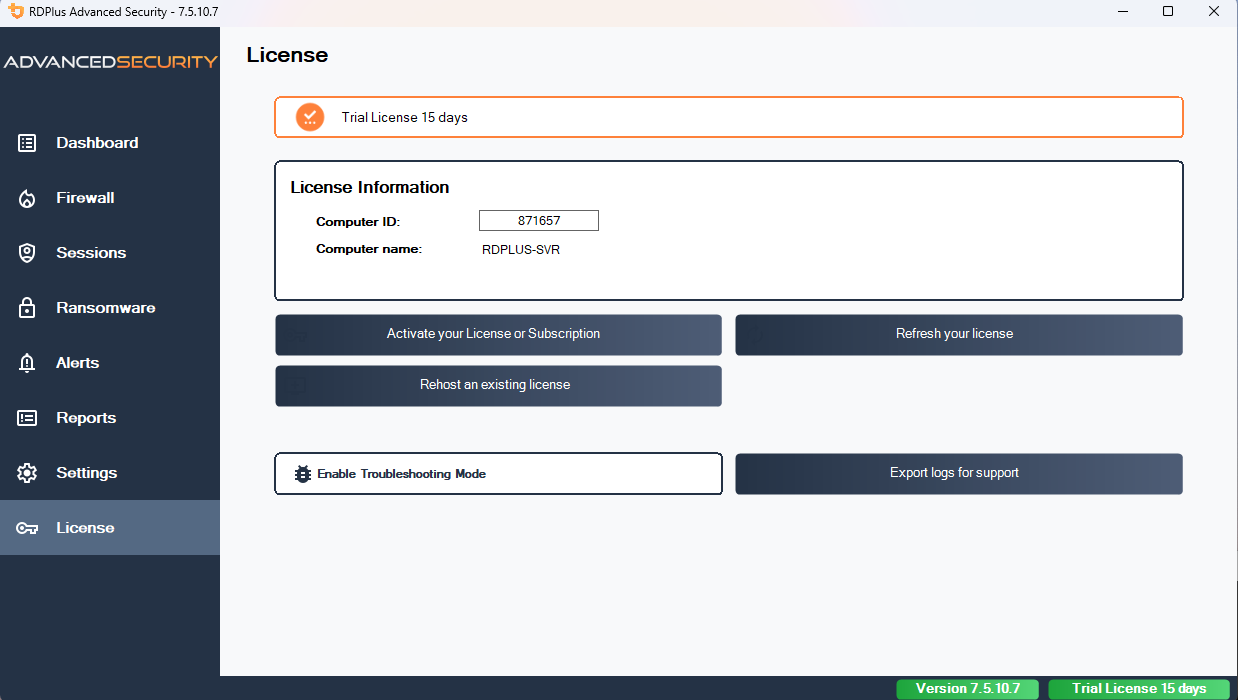
Then, click on the “Activate your License” button .
You will find your permanent activation key (XXXX-XXXX-XXXX-XXXX) in our order confirmation email.
If you wish to activate your subscription, please enter your subscription key (S-XXXX-XXXX-XXXX-XXXX) .
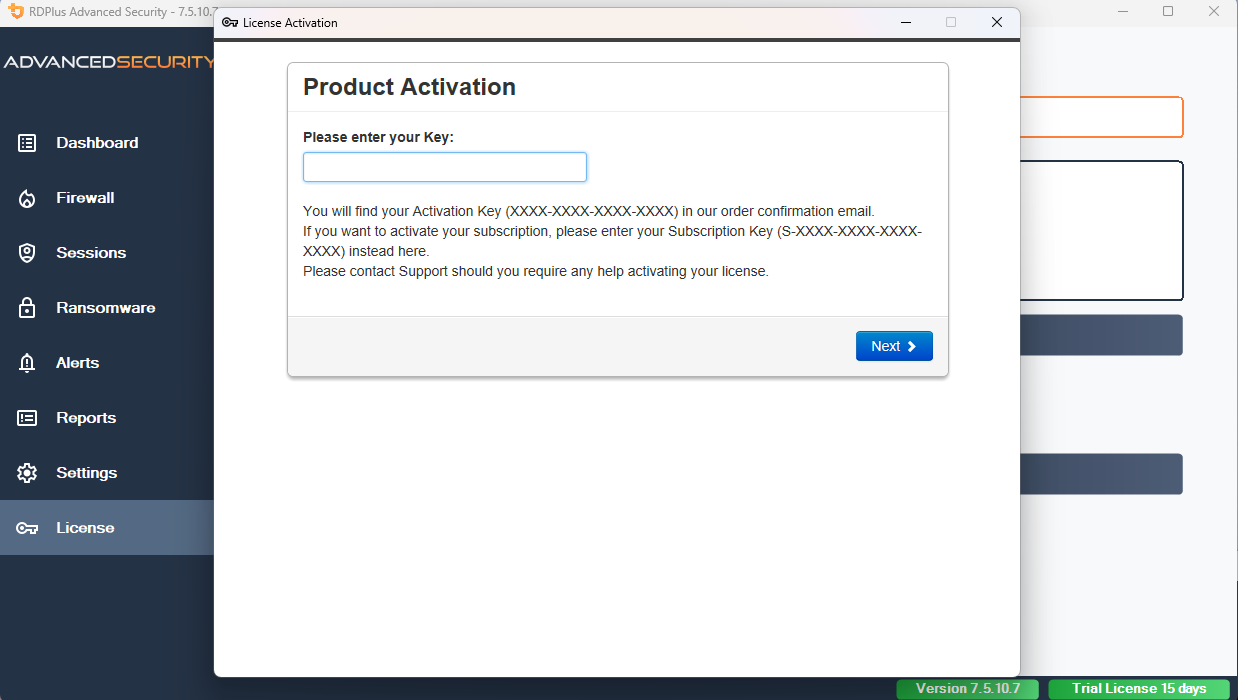
If you do not know you activation key, please proceed to step 2. Otherwise, proceed to step 3.
Step 2: Get your activation key
RDPlus emails your Activation Key to you directly after purchase. If you can’t find it, contact support@rdplus.com.au.
Step 3: Select requested licences and Update & Support services for installed products
Enter your activation key and click on “Next”.
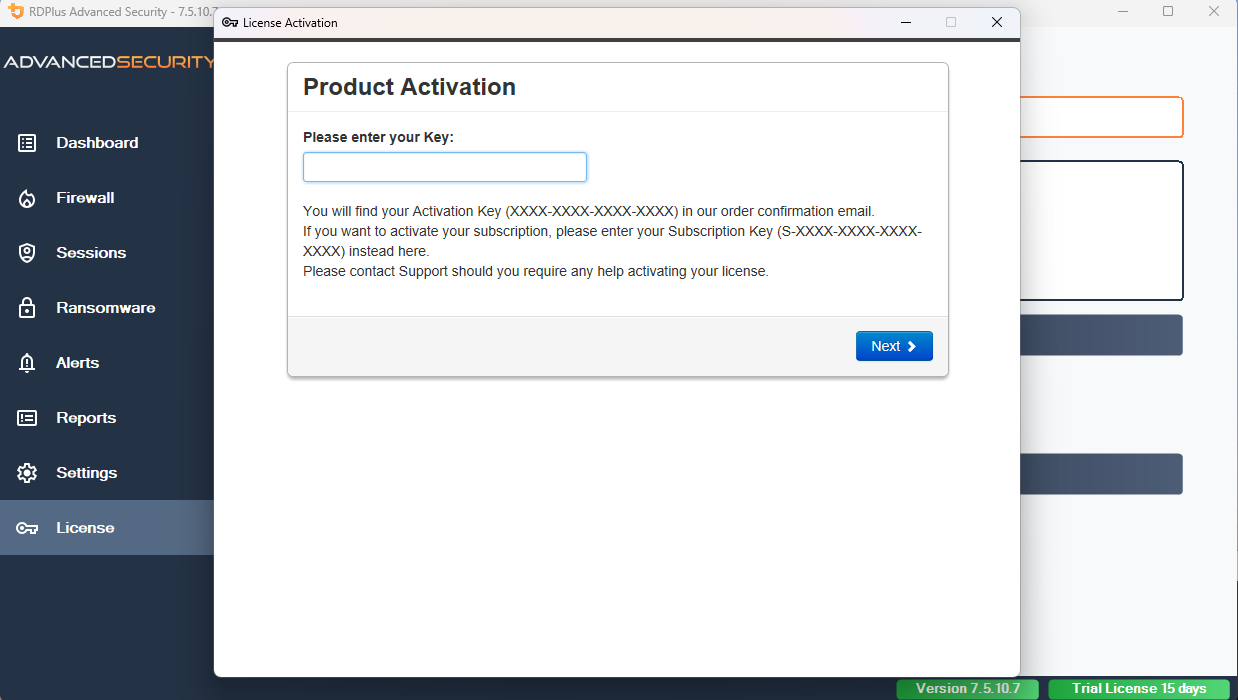
Check one or more items and click on the “Next” button. Please note that you can activate several products at the same time by checking several products and/or support subscriptions.
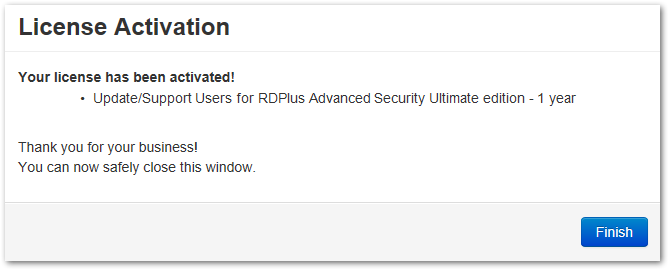
All your selected products and support subscriptions are now activated (in this example, both RDPlus with support and RDPlus Security have been activated at once).
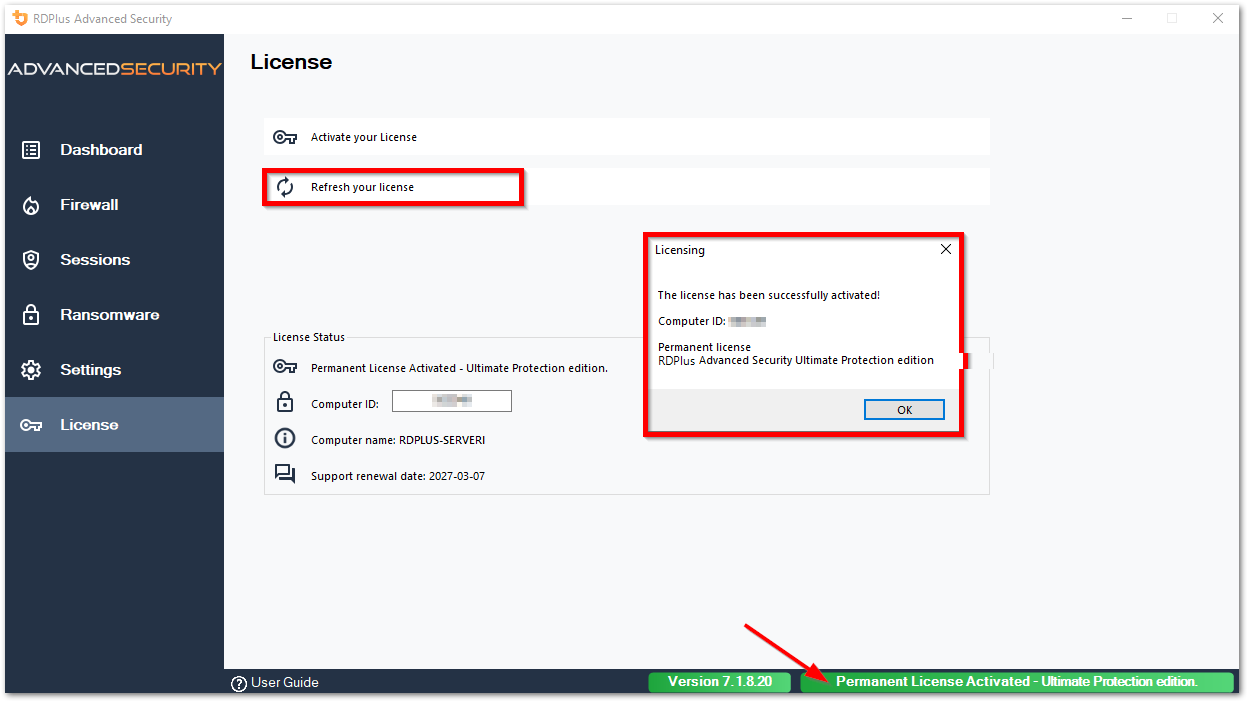
Refresh your licensing status by clicking on the corresponding button.
Rehosting your license
Please refer to the procedure described for RDPlus: Rehosting your RDPlus License
Thank you for choosing RDPlus Security!